Top 7 Free MP4 Video Downloaders for Web/PC/Mobile
A social media MP4 downloader can turn a permitted online video into a file that plays on phones, computers, tablets, editing programs, and many smart TVs. The right tool, however, depends on the source. A dedicated Instagram video downloader may handle Insta Reels, Stories, Highlights, and feed videos especially well, while a desktop application may be better for downloading from other major social media platforms, long videos, playlists, subtitles, or batch jobs. Other tools focus on TikTok, Facebook, YouTube, LinkedIn, Vimeo, Reddit, and additional social or streaming services.
This guide compares ideal MP4 video downloader options for browser, PC, and mobile workflows. “Free” needs context: Snapgram, Cobalt, ClipGrab, and SnapWC offer free access, while products such as 4K Video Downloader Plus and VideoProc reserve some capabilities for paid editions. Support can also change when a media platform updates its delivery system, and no downloader can retrieve quality that the original source does not provide.
How We Test and Compare MP4 Downloaders
We compare each video downloader using the key practical criteria: supported services, MP4 and audio formats, operating-system coverage, ease of use, link-processing and download speed, output quality, installation requirements, privacy disclosures, advertising, batch features, and free-plan limits. We also distinguish direct source retrieval from conversion or AI upscaling. A file labeled 4K after upscaling is not the same as a native 4K source file.
Safety is evaluated through observable signals rather than blanket promises. These include an official download source, a clear privacy policy, no demand for social-media credentials, and no forced browser extension or “codec” installation. Actual speed varies with video length, the host platform, network conditions, server load, and whether audio and video streams must be merged. For a fair comparison, users should test one non-sensitive video they own or are authorized to save before starting a large job.
MP4 Video Downloader Comparison
|
Tool |
Type |
Best for |
Free access |
|
Snapgram |
Web + App |
All video downloader in 4K |
Free web tool |
|
4K Video Downloader Plus |
Desktop |
Quality controls and playlists |
Limited tier |
|
Cobalt |
Web |
Minimal, privacy-minded use |
Free |
|
VideoProc Converter AI |
Desktop |
Download and processing |
Trial/limits |
|
Flixier |
Web |
Download-to-edit workflow |
Free limits |
|
ClipGrab |
Desktop |
Open-source basics |
Free |
|
SnapWC |
Web + extension |
Broad site coverage |
Free access |
1. Snapgram Video Downloader - Best for Instagram Use
Snapgram is a browser-based downloader designed specifically for publicly available Instagram media. Users simply copy a post link or public username, paste it into Snapgram, preview the detected content, and save the files they need. It supports a wide range of Instagram content, including feed videos, Reels, Stories, Highlights, long-form videos (formerly IGTV), photos, carousels, profile pictures, and extracted audio. Depending on the media type, files can be saved as MP4 videos, MP3 audio, or JPG images.
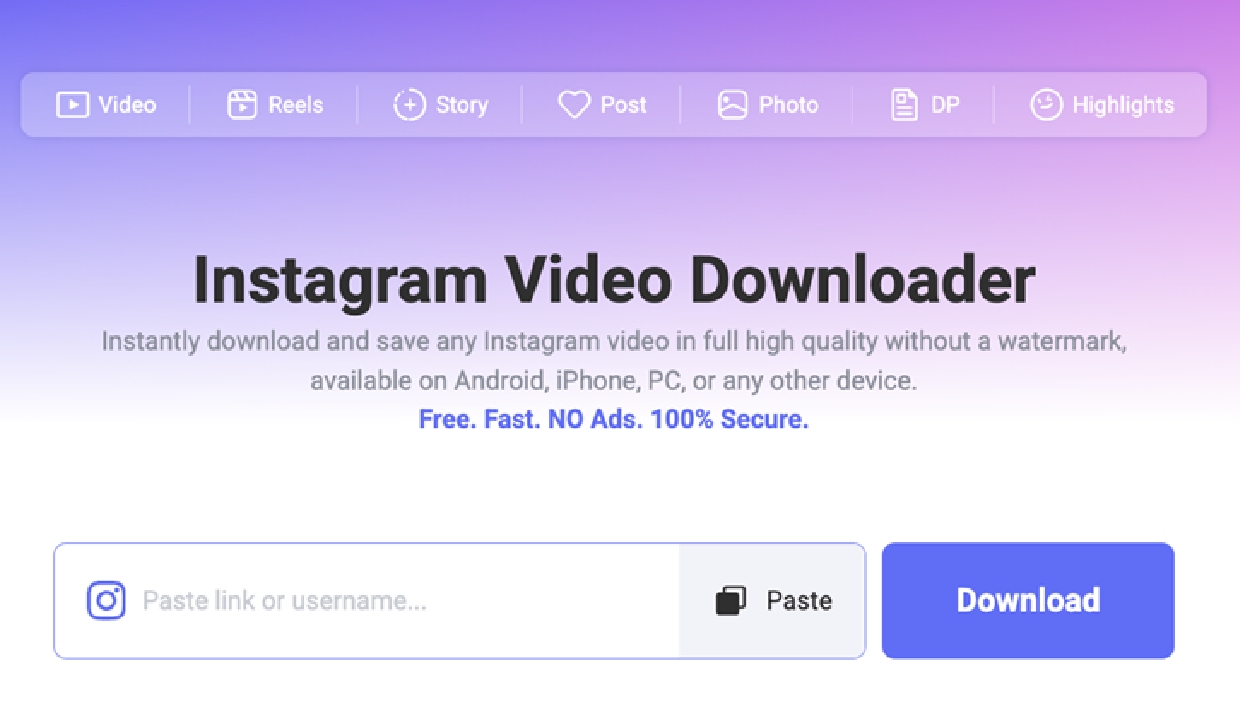
The online Instagram to MP4 workflow requires no Snapgram account, Instagram password, browser extension, or software installation. It works on modern browsers across Android, iPhone, Windows, macOS, and Linux, and does not add a watermark to downloaded files. Snapgram preserves the highest resolution available from Instagram instead of making unrealistic claims that every video can be downloaded in 4K.
The Broader Companion App
Snapgram also comes with a companion app for broader downloading from services such as TikTok, Facebook, LinkedIn, and many other social or streaming platforms. Snapgram’s web tool is the strongest fit when the task is simple, account-free Instagram downloading across devices; the app is the wider-coverage alternative.
2. 4K Video Downloader Plus - Best for High-Resolution Desktop Downloads
4K Video Downloader Plus is a desktop application for Windows, macOS, and Linux. It provides format and resolution controls and supports features such as playlists, channels, subtitles, and batch downloads where the source permits them. Its Smart Mode can reuse preferred settings, which helps frequent users avoid configuring each link separately. The free tier is useful for testing and occasional downloads, but daily quantities and advanced features may be limited.
This is a better match for structured desktop work than for a one-off Instagram save. Readers specifically comparing an instagram video downloader 4k should remember that “4K” normally means retrieving a 4K stream when one exists. It cannot restore genuine detail removed by Instagram compression or turn a low-resolution upload into native 4K footage.
3. Cobalt - Best Minimal and Privacy-Conscious Web Option
Cobalt is a free, open-source web downloader known for a clean interface and a short path from pasted link to downloadable media. Its public project emphasizes privacy, accessibility, and an ad-free experience. The hosted version requires no desktop installation, while technically confident users can inspect or self-host the open-source project.
Cobalt supports a defined set of media services rather than literally every website, and available formats depend on both the service and the source. That narrower, transparent model is appealing when simplicity matters more than an enormous platform count. As with every link-based tool, a platform-side change can temporarily affect parsing or quality options.
4. VideoProc Converter AI - Best for Downloading and Processing Video
VideoProc Converter AI is a Windows and macOS media suite rather than a single-purpose downloader. Its built-in engine can save supported videos, audio, playlists, channels, live streams, and M3U8 media, while the rest of the application converts, compresses, records, trims, merges, stabilizes, and upscales files. Hardware acceleration can reduce processing time when a compatible GPU is available.
That breadth makes VideoProc useful for creators who need to edit or convert a download immediately. It is excessive for someone who only wants one MP4. Although the developer offers a free download or trial, key capabilities and unrestricted use belong to the paid product. Its AI upscaling may improve the appearance of low-resolution footage, but the result should not be confused with retrieving a native high-resolution source.
5. Flixier MP4 Video Downloader - Best for an Online Download-to-Edit Workflow
Flixier offers a browser-based downloader that accepts supported TikTok and YouTube-style URLs, saves video as MP4, and can extract MP3 audio. It requires no separate downloader installation, and the saved media can move directly into Flixier’s online editor for trimming, captions, voice-over, conversion, or social-media repurposing. Browser access makes it convenient on Windows, macOS, and Chromebooks.
The available format and resolution still depend on the original source, and advanced editing or exporting may be subject to account and free-plan limits. For readers whose main need is converting instagram to mp4, Snapgram is the more specialized option; Flixier stands out when downloading is only the first step in a browser-based editing workflow.
6. ClipGrab - Best Free Open-Source Desktop Downloader
ClipGrab is a free, open-source downloader for Windows, macOS, and Linux. Its familiar workflow lets users paste a URL, choose an available quality and format, and save the file. The project has historically supported major services such as YouTube, Vimeo, Dailymotion, and Facebook, although real-world compatibility can change as those services update.
ClipGrab is a sensible choice for occasional desktop use without a subscription. However, users should separate current ClipGrab 3 features from features announced for ClipGrab 4. The project has described batch downloads, playlists, subtitles, browser integration, and native Apple Silicon support as goals for the newer generation. Download the installer only from ClipGrab’s official site and verify the version appropriate for the operating system.
7. SnapWC - Best for Broad Website and Extension Coverage
SnapWC combines browser-based download pages with an extension for Chromium-based browsers, including Chrome, Edge, Opera, Brave, Vivaldi, and Arc. Its site lists tools for YouTube, TikTok, X, Instagram, Facebook, Dailymotion, Reddit, Pinterest, Threads, Bilibili, and other services. Depending on the page, it may detect video, live streams, audio, subtitles, or images.
The extension is available on Android through Microsoft Edge, while SnapWC recommends its website for iOS. Its “10,000+” coverage figure is a vendor claim, and special encryption, DRM, separated audio/video streams, or custom playback technology can prevent detection. SnapWC is best treated as a flexible discovery tool rather than a guarantee that every listed website or individual URL will work.
How to Download MP4 Videos from a URL Legally
A video downloader is only a technical tool; the right to access a video does not automatically include the right to copy, edit, publish, or monetize it. Copyright law and platform terms vary by country and service, so use this practical check before downloading:
- Confirm your rights. Download videos you created, own, licensed, or have clear permission to save. Public visibility alone is not permission.
- Check the platform’s rules. Use an official download button or offline feature when available, and review the relevant terms for other methods.
- Do not bypass access controls. Avoid private accounts, passwords, paywalls, DRM, geographic restrictions, or technical protection measures.
- Limit later use. Get permission before reposting, distributing, editing, or monetizing someone else’s work. Giving credit does not replace permission.
Saving your own backup, licensed stock footage, public-domain video, or creator-approved material is the clearest use case. Personal offline viewing may carry lower practical risk in some places, but it does not automatically override copyright or a platform’s contract. When the intended use is commercial, public, or uncertain, obtain permission or seek jurisdiction-specific legal advice.
Which MP4 Video Downloader Should You Choose?
Choose Snapgram for convenient all social video downloading across phones and computers. Pick 4K Video Downloader Plus for resolution controls, playlists, and recurring desktop jobs; Cobalt for a minimal open-source web experience; VideoProc when conversion and editing are part of the task; Flixier for a browser-based download-to-edit workflow; ClipGrab for free open-source desktop basics; and SnapWC for broad web and extension coverage.
Whichever tool you select, use the official website, test a permitted non-sensitive file first, and treat advertised quality and platform counts as maximum capabilities rather than universal guarantees. Most importantly, download only content you have the right to save and reuse.